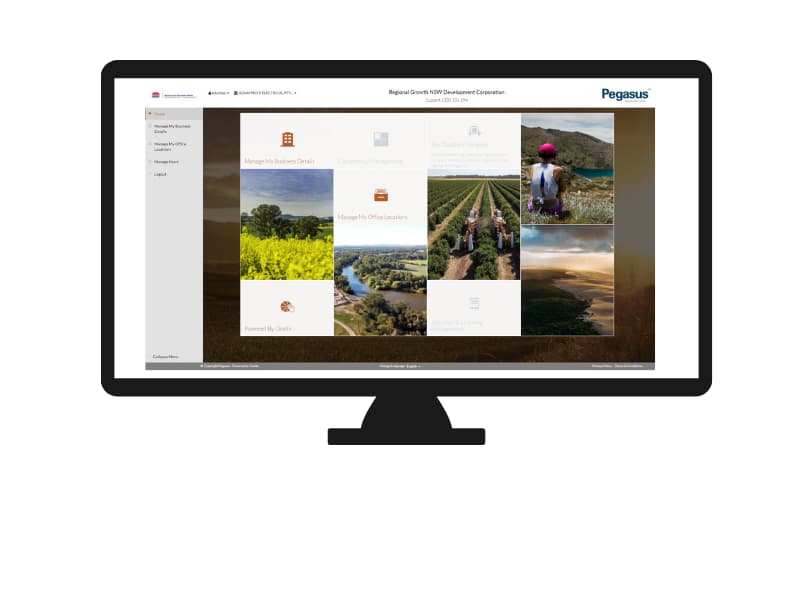
The Regional Growth NSW Development Corporation workforce management process is completed in two parts: business registration, and worker registration, including induction bookings.
We suggest you read through the instructions and give yourself time to source the information needed to work for Regional Growth NSW Development Corporation.
User guides with screenshots can be found on the Help and Resources page.
LET’S GET STARTED
Stage 1: Register Your Business
Step 1 > Register a username and password
The Regional Growth NSW Development Corporation Workforce Management System can be found by clicking the button below.
Start by entering a username of your choosing, plus your email address and a password. You’ll be emailed confirmation.
Step 2 > Register business details and answer profile questions
Using your new details, login to the Regional Growth NSW Development Corporation Workforce Management System.
Follow the process to register your business by answering profile questions and selecting the insurances and licences you can supply to support your registration.
Step 3 > Pay for registration
Business registration in the Regional Growth NSW Development Corporation Workforce Management System is $XX + GST annually for the verification of your documents and information, and the maintenance of your account.
Step 4 > Upload documents for verification
You will be prompted to upload copies of the licences and insurances you selected in step 2 for verification:
-
- Public & Product Liability Insurance
- Workers Compensation Insurance
- Professional Indemnity Insurance
- Occupational Licenses (e.g. Electrical, Plumbing)
- ASNZ4801/ISO18001 Certificate
Step 5 > Complete safety management system (SMS) review
An SMS review is an independent desktop review of your Work Health and Safety documents by a qualified WHS professional. The documents you’ll be asked to upload for your SMS review depend on your category and may include, but are not limited to:
-
- WHS / OHS Policy
- Environmental Policy
- Risk Management Procedures
- Systems of Work Process, including Incident Management
- Drug and Alcohol Management
- Emergency Management
- Training Procedures, including Induction Management
- Subcontractor Management
- Continual Improvement Processes
Your SMS questions and submitted documents will be audited within five business days of submission and you’ll be emailed if corrective actions are required for you to meet compliance.
Your business registration is complete when both the SMS and document upload steps have been verified and approved.
To complete your registration, you will next be invited to register your workers. Please click to expand Stage 2.
Stage 2: Register Your Workers
Step 1 > Login and add workers
On business registration approval (stage 1), Pegasus will email you login details to register your workers.
Using these emailed details, login and add your workers – you’ll start by selecting Manage Roles and then Add New Employee. From here you can enter and save their personal contact details, address, phone and email.
Step 2 > Pay for worker registration and access ID card
Pay for your worker’s registration and order their access ID cards to work for Regional Growth NSW Development Corporation.
-
- Worker registration costs $XX+ GST per person for the first year for the management of roles, verification of documents, and supply of card.
- Annual renewal costs $XX + GST per person
- Replacement cards are $XX + GST.
A tax invoice will be supplied on payment.
Step 3 > Add roles, upload documents and book training
You will next select your worker’s name to Add New Role and choose the role/s they’ll perform for Regional Growth NSW Development Corporation.
Your selections will determine the competency documents you’ll upload in the system to prove your worker can perform the chosen role/s:
-
- Photograph
- Proof of Identity
- Medical
- High Risk Licenses
- Trade or Tertiary Qualifications
- Certificates or Statements of Attainment
At this time, you will also book your worker’s online inductions. They will be emailed a link and login details.
Pegasus will validate the documents you’ve uploaded during registration. You’ll be emailed to update any required information. Upon document approval and induction completion, the roles will be applied to your worker’s profile and their access ID cards printed and sent.
Pegasus Gateway – Ongoing System Access
Once you have completed both stages to register, the system can be accessed by creating a Pegasus Gateway account, and adding the Regional Growth NSW Development Corporation tile. This allows you to access both parts of the system from one place with one login. Click the Pegasus Gateway button at the top of the page once you’re all registered.